Most people at work have used an AI tool by now. They use it to tidy up an email, summarize a long report or work out a stubborn Excel formula. It’s quick and helpful, and it’s easy to forget that everything you type or upload becomes AI data that leaves your hands the moment you press Enter.
That isn’t a reason to stop using AI. It’s a reason to think for a few seconds before sharing. The tricky part is that “don’t share sensitive information” sounds clear, but people read it differently. A sales rep, an HR officer and a developer will each have their own idea of what counts as sensitive.
What Is AI Data?
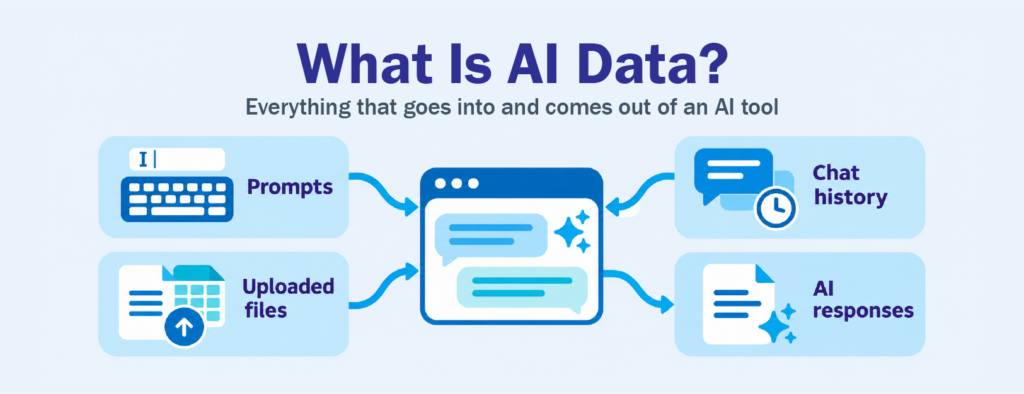
AI data is any information you give an AI tool so it can do a task. That includes text you type into a prompt, files you upload, screenshots you attach, and anything the tool can reach through apps connected to it.
Once submitted, that AI data may be stored in chat history, kept for a period of time, or used to improve the service. What actually happens depends on the tool, the account type and its settings. A personal account on a free AI service and a company-managed business account can handle the same prompt very differently.
The UK’s National Cyber Security Centre (NCSC) has pointed out that once sensitive information reaches consumer AI services, organizations can lose visibility and control over it unless the right privacy controls are in place. In most cases, there’s no taking it back.
Why “Sensitive” Means Different Things to Different People
Most employees aren’t careless. They just make judgment calls based on their own role. Someone in finance may see nothing wrong with pasting a sales pipeline, because it’s “just numbers.” A marketer may upload a draft press release without realizing it mentions a product that hasn’t been announced yet.
That’s why a general warning rarely works on its own. It helps to be specific about the kinds of AI data that cause real damage once they’re out.
7 Types of AI Data Employees Should Never Share
These are also the easiest to paste without thinking, usually while someone is just trying to finish a task on time.
- Passwords, API keys and access tokens. These often end up in AI tools inside error logs or code snippets. One exposed credential can give someone direct access to company systems.
- Personal information (PII). This includes names linked to ID numbers, addresses, phone numbers, birthdays and health information. In the Philippines, the Data Privacy Act of 2012 makes organizations responsible for how personal information is processed, so this becomes a compliance issue, not just an IT issue.
- Client and customer data. Contact lists, account details, contracts and support tickets belong to the relationship your company has with those clients.
- Source code and system configurations. Proprietary code, network diagrams and firewall settings can expose how your systems are built.
- Financial records. This covers unreleased results, payroll, budgets and banking details.
- Legal and HR documents. Employment contracts, disciplinary records, ongoing disputes and anything under NDA belong here.
- Unreleased plans and intellectual property. Product roadmaps, pricing strategies, merger discussions and designs not yet made public are among the hardest things to recover once they leak.
The common thread is simple. If losing it would hurt a person, a client or the business, that AI data doesn’t belong in an unapproved AI tool.
The Gray Areas Where AI Data Slips Through
Most AI data slips happen in gray areas, not with obvious secrets.
File uploads are a big one. A spreadsheet uploaded for a quick summary goes in as the whole file, not just the tab on screen. Hidden sheets, cell comments and old figures nobody deleted all go along with it. Word documents have their own extras, like tracked changes and review comments, which often hold the most candid discussions about pricing or clients.
Screenshots are another. A screenshot of a dashboard taken to ask “what does this chart mean?” may also capture customer names in a sidebar or an open email in the background.
Prompt data builds up over time too. A single message might seem harmless, but a long conversation where someone gradually adds a client name, then a budget, then a deadline, can end up holding as much as a full internal document.
Then there are AI integrations. Some tools connect to email, calendars or file storage. Once connected, the AI may reach far more information than the person ever planned to share in one prompt.
How to Share Less and Still Get Help From AI
Most tasks don’t actually need the sensitive details. You can usually get the same help from AI by sharing less AI data, not by using AI less.
Replace real details with placeholders. “Client A,” “Employee 1” or “[Amount]” works just as well when you’re asking AI to improve the wording of a letter.
Describe the problem instead of pasting the record. You don’t need to paste a full customer complaint to get help writing a reply. A short summary of the issue is usually enough.
Share the structure, not the content. If you need help with a spreadsheet formula, give the column headers and a few made-up sample rows instead of the actual file.
Use the approved tool for sensitive work. Many organizations provide business AI tools with stronger data protection settings. If your company has one, that’s where AI data from internal work should go.
Why Responsible AI Use Is Hard to Enforce
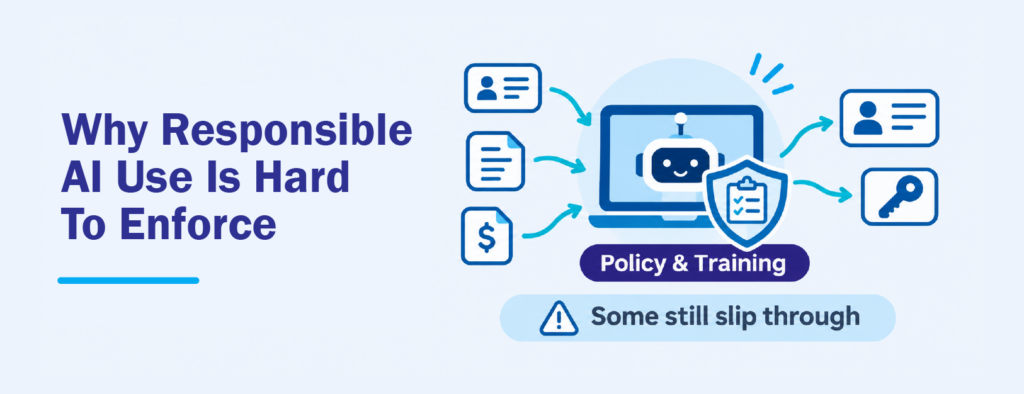
Everything above depends on one thing: people remembering to do it, every single time. That’s where things get difficult.
An AI usage policy and regular security awareness training can build good habits, and they should be in place. But habits are tested on busy days. When a report is due in an hour, redacting names line by line is usually the first step skipped. Even employees who make a conscious effort to clean up their prompts can miss a hidden sheet, a name buried in a comment, or a detail added halfway through a long chat. Manual redaction depends on each person catching everything, and nobody catches everything.
So the honest question for most organizations is this: even with the right policy and well-meaning employees, how sure are you that no sensitive AI data has gone out?
Approving specific AI tools helps, but it doesn’t fully answer that question. A sanctioned tool tells you where employees should be working. It doesn’t tell the security team what AI data is actually being submitted, which departments are using AI for what kind of work, or whether someone is still using a personal account on the side. Without that visibility, responsible AI use is something a company hopes for rather than something it can confirm.
That’s the gap where training needs a technical partner. NIST’s AI Risk Management Framework describes AI risk as something to be governed and measured over time, not handled once with a policy document. Clear guidance shapes behavior, and the right tools show whether that guidance is holding up in daily work.
Supporting Responsible AI Use with CT Link
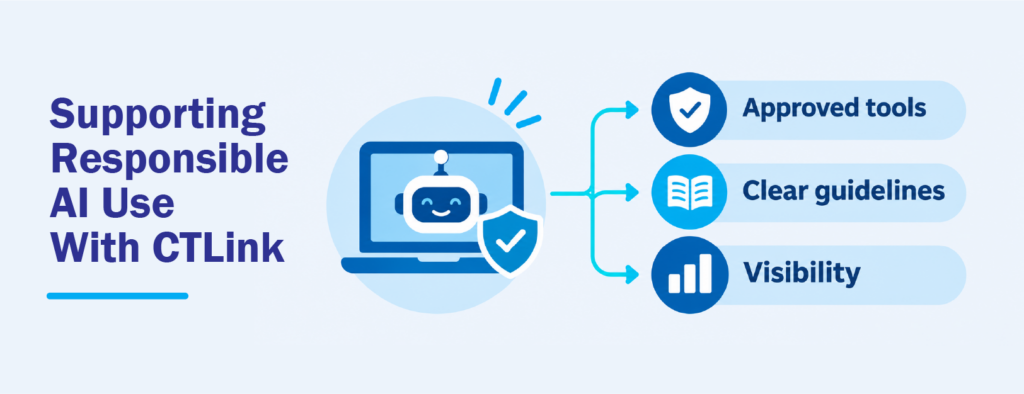
For businesses that want that kind of confidence, CT Link can help through SentinelOne Prompt Security. It gives IT teams a clear view of the AI tools employees use, including the ones that never went through approval. It also covers AI code assistants that developers rely on, such as GitHub Copilot and Cursor.
Prompt Security also takes some of the pressure off employees. Before a prompt leaves the device, it can redact sensitive AI data such as personal information, secrets and source code, so the task still gets done without the sensitive part going along with it. Instead of simply blocking the employee, it can guide them at that moment, which turns company policy into an everyday habit rather than something people have to remember on their own.
For IT and compliance teams, rules can be set per user, team or tool, and prompts, redactions and policy actions are kept in one audit trail. That record can help when reviewing how the company handles personal information under the Data Privacy Act.
If you’d like to see how this fits your organization, CT Link’s team can walk you through how SentinelOne Prompt Security works in your environment.
Frequently Asked Questions
Is AI data covered by the Data Privacy Act?
Yes, when it includes personal information. If an employee pastes customer or employee details into an AI tool, that counts as processing personal data, and the Data Privacy Act of 2012 applies the same way it would to any other system. The National Privacy Commission has also issued guidance on how the law applies to AI.
Does deleting a chat remove my AI data?
Not always. Deleting a conversation may hide it from your history, but the provider’s retention practices determine what happens on their side. It’s safer to assume shared information can’t be fully recalled.
What should I do if I already shared sensitive AI data by mistake?
Tell your IT team or supervisor as soon as possible, even if it seems minor. If a password or access key was included, change it right away. Deleting the conversation is still worth doing, but it shouldn’t be the only step.
Can AI tools see files I didn’t upload?
They can if they’re connected to your email, calendar or cloud storage. Before linking an AI tool to work accounts, check with IT which connections are allowed and what the tool will be able to reach.