A customer gets a message that looks exactly like it came from your company. The logo is right, the tone feels familiar, and the link opens a page that looks like your real website. They log in, and their account is gone within minutes. Your network was never touched. That’s how Brand Impersonation works: attackers don’t break into your systems, they borrow your name.
That’s why the problem catches so many companies off guard. Your security tools can show no warning signs while your customers are being targeted. The first sign usually comes from a confused customer, a strange social media page or a support ticket nobody can explain.
What Is Brand Impersonation?
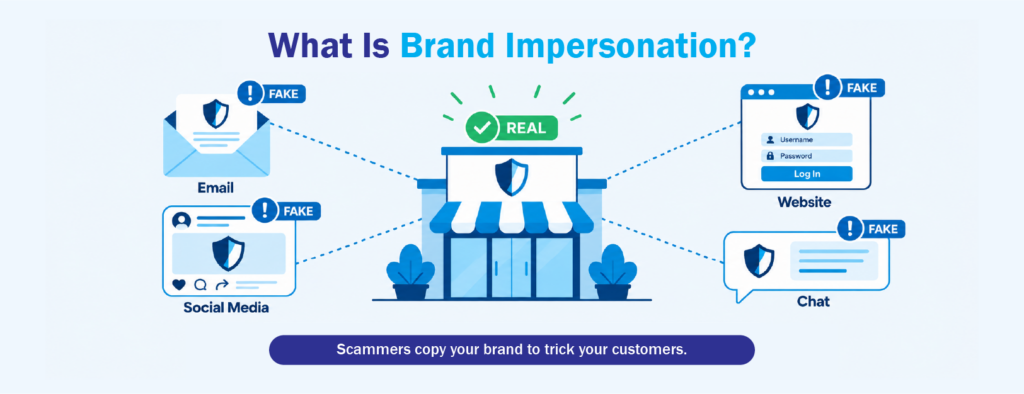
Brand impersonation happens when criminals pretend to be a real company so people will trust them. Their goal is usually to steal login details or payment information, or to get people to download something harmful. The fake might be an email, a cloned website, a social media page, an online ad or a chat message. It’s designed to look and sound like your business.
Phishing emails get most of the attention, but email is only one channel. Security firms such as Darktrace and Hornetsecurity describe brand impersonation as a type of phishing that can also include fake social media accounts and copied websites. The common thread is trust. The scam works because people recognize the brand and drop their guard.
Why Your Company Does Not Need to Be Breached
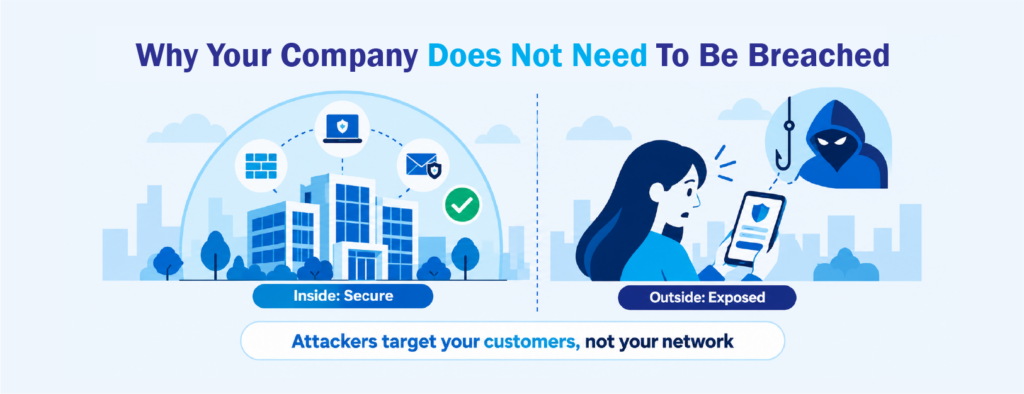
Many companies picture cyberattacks as something that happens inside the network. Firewalls, endpoint protection and email filters are built for that. Brand impersonation happens somewhere else: on the open internet, in search results, on social platforms and in your customers’ inboxes.
That means an attacker can register a fake website, copy your logo and start collecting customer passwords while your internal systems stay completely untouched. None of your tools are looking in those places. By the time the problem comes to light, customers may already have lost money or data, and they’ll likely blame the brand they thought they were dealing with.
How Attackers Borrow the Trust You Built
It takes years of good service, consistent messaging and a reliable online presence to build customer trust. Attackers can borrow that trust in a few hours. They don’t need to persuade anyone that they’re credible, because your brand already did that for them.
That’s why impersonation often targets moments when customers expect to hear from you, like order updates, billing notices, password resets, promos and support follow-ups. The fake message feels normal because it matches something the customer has seen before. Urgent wording makes it worse: “Your account will be locked” or “Confirm your payment today” pushes people to act before they think.
Fake Ads and Sponsored Search Results
A growing number of scams start with a search. A customer types your company name into a search engine and clicks the first result without noticing it’s a paid ad placed by someone else. The link opens a page that looks like yours but is controlled by the attacker.
This is effective because people trust search results, especially the ones at the top. Customers looking for a login page, support number or download link are the most exposed. CISA’s guidance on phishing advises people to check where a link leads before they enter any information. In practice, most customers won’t check that carefully.
Lookalike Domains, Cloned Sites and Phishing Websites
Lookalike domains are web addresses made to look almost exactly like yours. An attacker might swap one letter, add a hyphen, use a different ending such as “.net” instead of “.com.ph”, or add words like “secure” or “support.” At a glance, especially on a phone, the difference is easy to miss.
The domain is usually only the first step. Next, the attacker builds a cloned site, a near-perfect copy of your real website. Cloning tools can copy your page layout, images, logo, fonts and even your footer links in minutes. The cloned page looks the same as yours because it was built from your own website.
These cloned sites are what turn a lookalike domain into a phishing website. The login form, payment page or “verify your account” screen works the same as yours, but every detail a customer types goes straight to the attacker. Some clones even send the customer on to your real website afterward, so they never realize anything went wrong.
Cloned sites are also hard to take down for good. When one is reported and removed, the same copy can appear on a new domain within hours. That’s why tracking newly registered lookalike domains is so useful. Registering a domain is often one of the earliest steps in setting up a scam, so catching it early can give your team a head start before a clone ever reaches customers.
Fake Social Media and Messaging Accounts
Fake social media accounts are a common tool, partly because they’re easy to create. An attacker can copy your profile photo, cover image and posts, then message customers who comment on your real page. Customer complaints are a favorite target because those customers are already looking for help.
Messaging apps add another layer. A fake “customer service” account might reach out offering a refund, then ask for a one-time password (OTP) or bank details. Many customers don’t know which accounts are official, so they have no easy way to tell the real one from the fake.
Your marketing and social media teams are often the first to see these accounts. When they report them to the right people quickly, the company can respond much faster.
Warning Customers Without Causing Panic
Your customers need to know what’s going on, but how you tell them matters. If the warning sounds too alarming, people may stop trusting your real messages too. If it’s too vague, customers won’t know what to look out for.
Clear, calm guidance works best. Let customers know which channels you actually use and what you’ll never ask for, such as passwords or OTPs. Keep a single page on your website where they can check your official accounts and contact details. Customer service teams should also have a simple, consistent answer ready when someone asks about a suspicious message.
The aim is to give customers a quick way to check a message. The aim isn’t to make them afraid of your emails.
Seeing Your Brand the Way Attackers Do
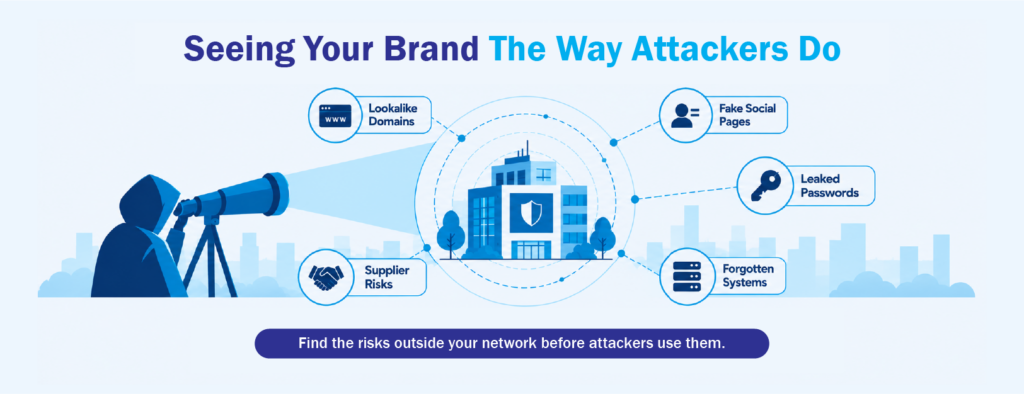
You can’t stop every impersonation attempt, but you can find them sooner. The earlier a fake domain, page or account is found, the fewer customers it reaches. That means looking at your company from the outside in, the same way an attacker does when planning a scam.
This outside view is often called external risk management, or exposure risk management. It brings together several kinds of monitoring that usually sit with different teams. These include watching for lookalike domains, cloned sites and fake social media pages, checking for leaked passwords on the dark web, finding forgotten internet-facing systems and keeping track of risks tied to suppliers and partners. NIST’s Cybersecurity Framework 2.0 also stresses this kind of awareness. It treats identifying and understanding risk as a core part of security, not something that stops at your network’s edge.
Brand impersonation rarely happens on its own. A fake login page may be gathering passwords that later turn up on the dark web. A lookalike domain may be one part of a larger campaign that also targets your suppliers. Seeing these signals together makes it easier to tell which threats need attention first.
Protecting the Trust Your Customers Give You
Your customers trust your name, and brand impersonation turns that trust against them. Because it happens outside your network, firewalls and endpoint tools aren’t designed to catch it. Protecting your brand starts with visibility: knowing what’s out there using your name before your customers find it first.
For many organizations, the hard part isn’t understanding the risk. It’s having the time and people to watch domains, social platforms and dark web channels every day. That’s the gap CT Link’s Managed External Risk Management (ERM) service is built to fill. It gives your team a clear view of fake domains, impersonation attempts, leaked credentials and exposed assets in one place, so you can respond sooner and stay focused on the work in front of you.
If you’d like a clearer picture of how your brand appears from the outside, the CT Link team is happy to help you get started.
Frequently Asked Questions About Brand Impersonation
Is brand impersonation the same as phishing?
Not exactly. Phishing is one of the most common methods, but brand impersonation also includes lookalike domains, fake social media accounts, fake ads and copied mobile apps. Phishing is one way the trick is delivered. Brand impersonation is the broader act of pretending to be a trusted company.
Can small and mid-sized businesses be targeted?
Yes. Big global brands get copied most often, but any business with loyal customers can be a target. Local banks, retailers, service providers and B2B companies are all exposed, especially if their customers often receive emails or messages from them.
Who should own brand impersonation inside a company?
No single team should handle it alone. Security teams can look into the technical side. Marketing and social media teams can spot fake pages. Customer service teams usually hear from affected customers first. It works best when all three share what they see.