
Hybrid work changed where people do their jobs. One employee may work from home on Monday, use a laptop in the office on Wednesday, and check email from a phone at an airport on Friday. Through all of these changes, the user account is still the main connection to company systems. That is why identity security needs more attention in a hybrid environment.
A firewall can only see part of the picture when users and applications sit outside the office network. In many cases, the more useful questions are who signed in, which device they used, and what they did after they were allowed in.
Why Identity Security Matters More in Hybrid Work
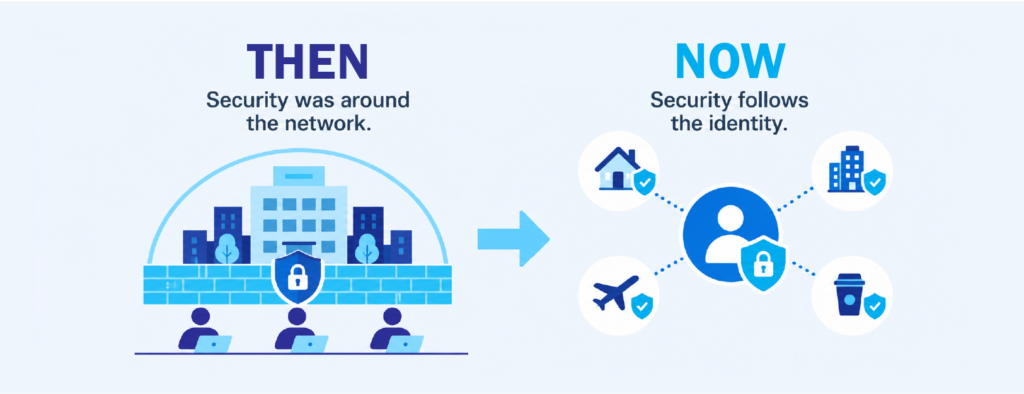
In the past, most staff worked inside the office and used company devices on the same network. IT teams could rely heavily on the network perimeter because the people and systems they protected were mostly in one place. That model does not fit as well now. Microsoft 365, cloud storage, CRM platforms and other SaaS tools can be reached from almost anywhere, so the user’s account now acts as the entrance to company systems.
This is the reason NIST’s Zero Trust Architecture guidance, SP 800-207, moves away from trusting users because of their network location. Access decisions are based on identity, device posture and context instead. For hybrid teams, this makes identity security a basic part of daily operations rather than a separate project for the IT team to handle later.
It also changes how attackers get in. Industry research such as the Verizon Data Breach Investigations Report continues to show stolen credentials among the most common ways into organizations. When an attacker uses a valid username and password, the activity can look like a normal sign-in. Firewalls and antivirus tools may not see anything that needs blocking.
7 Identity Security Risks Hybrid Teams Often Miss
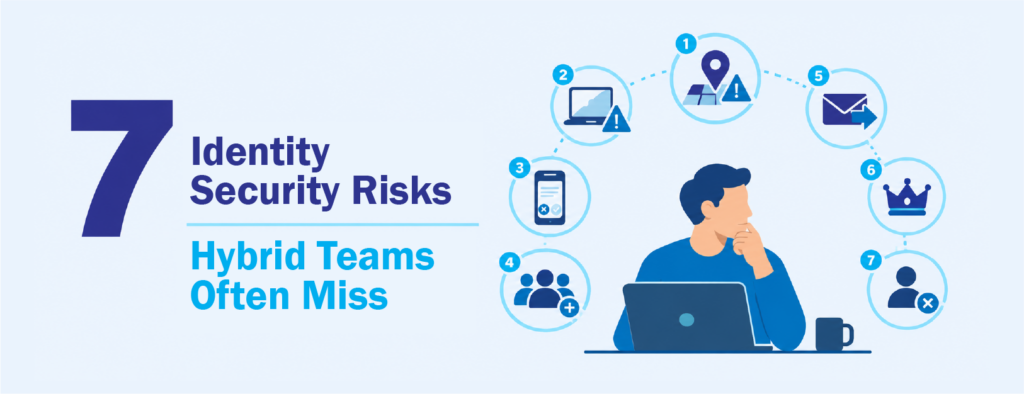
The following risks are common in distributed organizations. Most do not come from carelessness. They happen because flexible work creates more devices, sign-in locations and applications for IT teams to manage.
1. Sign-ins From New Locations
A sign-in from a different city does not automatically mean something is wrong. Employees travel, work from home, and connect through mobile data. The problem is that unusual locations happen so often that some teams start ignoring them. A real warning can then be missed. Impossible travel alerts, such as sign-ins from Manila and Europe within an hour, are still useful, but they need to be reviewed with other account activity.
2. Personal Devices With Limited Visibility
Some staff still use personal laptops or phones to access email and files, especially in smaller organizations. These devices may not have the same patching, encryption or endpoint protection as company-issued equipment. If one of them is compromised, the attacker may be able to use an active session or saved credentials. Conditional access policies in Microsoft Entra ID can restrict what unmanaged devices are allowed to access, but they have to be configured and kept up to date.
3. MFA That People Approve Without Checking
Multi-factor authentication makes account takeover harder, but it does not remove the risk completely. Users who receive too many prompts may approve one just to stop the notifications. This is often called MFA fatigue. CISA recommends phishing-resistant MFA, such as FIDO2 security keys or passkeys, where possible. It is also worth watching for new authentication methods added to an account, because attackers may register their own device to keep access.
4. Too Many SaaS Applications
Hybrid teams often sign up for tools that make collaboration easier. Some of these are approved by IT, while others are added by individual departments. Each application can connect to company data. Users may also allow third-party apps to access their Microsoft 365 data through OAuth consent. This permission can stay active after a password reset, so it should be included in your identity and access management reviews.
5. Changes Inside Microsoft 365 Mailboxes
Business email compromise often begins with mailbox changes. An attacker may create a rule that forwards invoices to an outside address or moves replies into a folder the user rarely checks. These changes look like ordinary settings, which makes them easy to miss. Microsoft 365 records this activity, but someone still needs to review the logs and understand what the changes mean.
6. Privileged and Service Accounts
Administrator accounts carry the highest risk because they can change settings across many systems. Service accounts used by applications and scripts also need attention because they often have broad permissions and passwords that are not changed regularly. In hybrid environments, these accounts may exist in both on-premises Active Directory and the cloud. This makes it harder to track who has access and how that access is being used.
7. Accounts That Remain Active After Users Leave
Contractors finish projects, employees move to new roles, and some people leave the company. If offboarding is not consistent across all systems, old accounts and leftover permissions can stay active. A dormant account that suddenly signs in should be reviewed quickly. There may be a valid reason, but it should be checked before it is treated as normal.
Separating Normal Activity From Suspicious Behavior
This is the most difficult part of identity security in a hybrid workplace. Flexible work creates activity that may look unusual but is completely valid. Staff sign in late, connect from different networks and use more than one device. If every unusual event becomes an urgent alert, IT teams will quickly have more alerts than they can handle.
A more useful approach is to look at the order of events. One unusual sign-in may not mean much. A new MFA method followed by a mailbox forwarding rule and access to files the user normally does not open is more concerning when those events happen together. Reviewing activity in sequence gives the team context and helps reduce false alarms.
This also means knowing what normal activity looks like for each user and role. Finance staff, developers and executives use different systems and work in different ways. A good baseline helps the team spot activity that does not fit. That baseline should be updated as people change roles, start using new applications, or follow different schedules.
How MSOC Monitoring Supports Identity Security
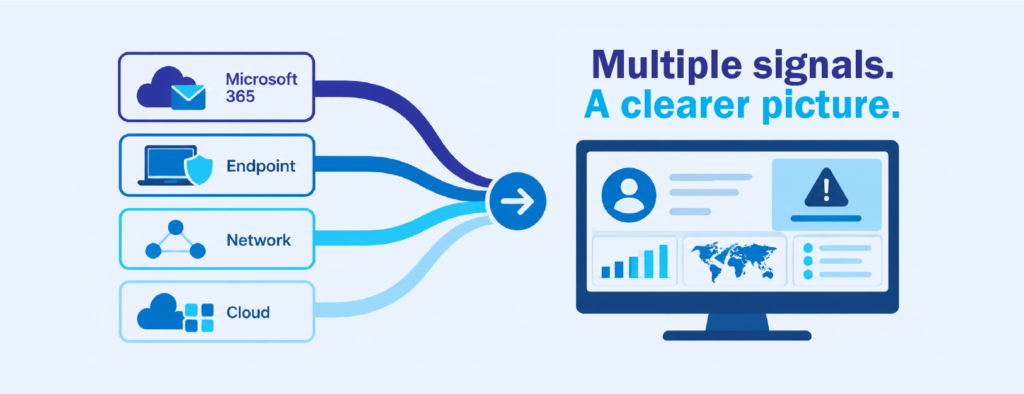
Many organizations already collect useful identity data through Microsoft 365. Sign-ins, mailbox changes, file access and app permissions are all recorded there, along with activity from endpoint and network tools. The hard part is finding the time and people to review these records, connect related events and act quickly when something looks wrong. Hybrid work makes this harder because user activity is no longer limited to office hours or a single location.
A managed security operations center, or MSOC, helps close that gap. It reviews identity activity together with endpoint, cloud and network signals, so analysts can see a suspicious login in context. For example, a sign-in from an unfamiliar location followed by a new mailbox forwarding rule tells a clearer story than either event alone. Your internal IT team can then spend more time on projects, user support and system improvements.
CT Link’s MSOC monitors Microsoft 365 and cloud sign-in activity using the security tools your organization already has. It is a good fit for teams that have the right tools in place but need more people watching the activity those tools produce. If your hybrid workforce has grown faster than your monitoring, our team can help you see what identity monitoring could look like in your environment.
Frequently Asked Questions
What is identity security?
Identity security is the practice of protecting user, administrator and service accounts. It includes controlling access, checking how accounts are used, and responding when activity suggests that an account may be compromised.
Why is identity security important for hybrid work?
Hybrid employees use company systems from different places and devices. Because of this, the user’s account becomes the main way into business applications. If an attacker steals valid credentials, they can sign in and act like a legitimate user.
Is MFA enough to protect hybrid teams?
MFA is important, but it is not complete protection on its own. Attackers can still get past weaker MFA methods through prompt fatigue or by registering their own authentication method. Continuous monitoring helps catch what MFA misses.