Shadow AI may sound like another name for Shadow IT, but the two are not quite the same.
For years, IT departments have dealt with employees downloading software, signing up for cloud apps, or storing files outside approved systems. AI adds a new layer to that old problem. An employee doesn’t need to install anything. They can open an AI tool in a browser and paste company information straight into a prompt.
That small difference changes a lot.
The UK’s National Cyber Security Centre (NCSC) describes Shadow AI as the use of AI technology that isn’t captured in an organization’s approved systems and processes. It treats Shadow AI as a form of Shadow IT, but it also points to specific risks: exposure of sensitive information, loss of control over data, and the growing use of AI agents.
So for IT teams, the question isn’t only whether an AI tool has been approved. It’s also what information is going into it, and what that tool can reach once it’s connected.
What Is Shadow AI?
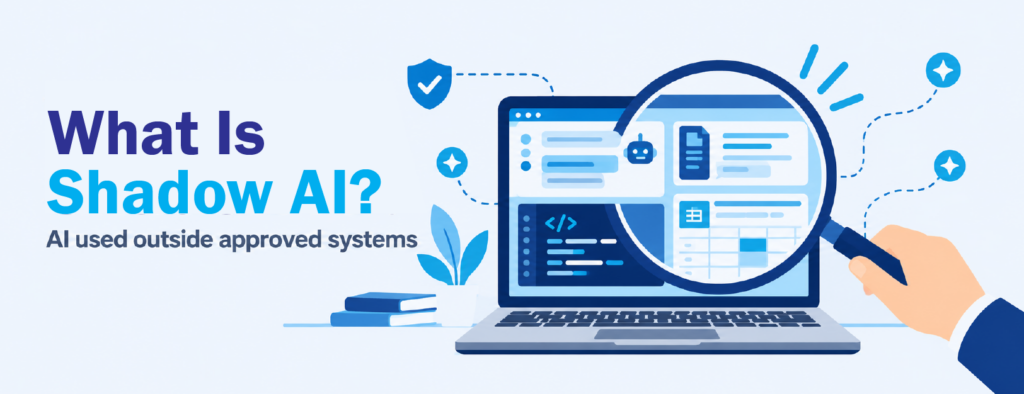
Shadow AI is the use of AI tools or features outside an organization’s approved systems and processes. It usually happens when employees turn to AI to get work done faster, without IT or security knowing about it.
Most people picture a chatbot open in another browser tab. But AI now shows up in plenty of other places too: browser extensions, coding assistants, desktop apps, and AI features built into the SaaS platforms teams already use every day. Each of these can handle company data, and not all of them look like “AI tools” at first glance.
This is what makes unsanctioned AI use tricky to manage. In most cases, the employee isn’t doing anything malicious. They’re just trying to finish a task. But once company information passes through an AI service outside approved channels, the business loses sight of where that information goes.
Shadow AI vs Shadow IT: Where Do They Differ?
Shadow IT generally means technology used at work without the knowledge or approval of the team responsible for managing it. Shadow AI grows from that same root. What’s different is how employees interact with information.
With traditional Shadow IT, the concern is usually an unapproved app, like a personal file-sharing account. With Shadow AI, the employee hands information directly to an AI system through prompts, file uploads, code, or connected apps. That changes what IT teams need to watch for.
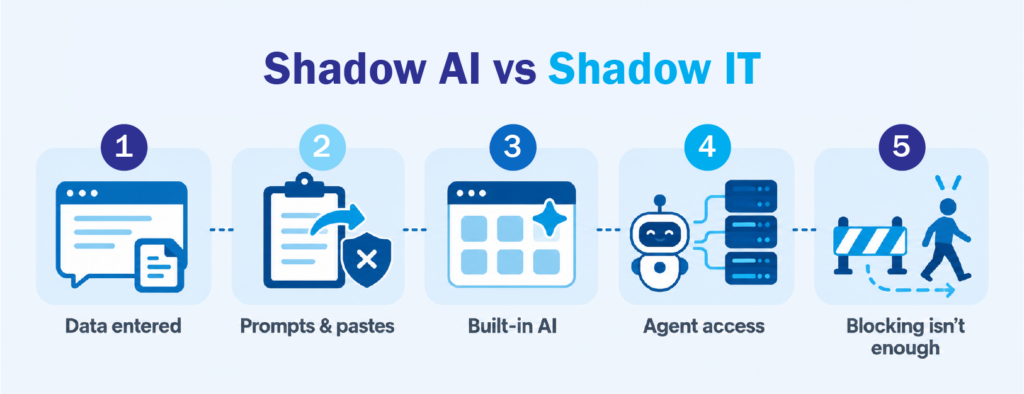
1. The data being entered matters as much as the tool
With conventional Shadow IT, finding the unauthorized app solves a big part of the problem. With AI, knowing which app is being used doesn’t tell you enough.
A normal-looking prompt can contain customer details, financial figures, internal documents, credentials, or source code. The NCSC notes that giving Shadow AI access to company or customer data raises the risk of breaches, intellectual property loss, and regulatory issues. The concern is both which tool is in use and what’s being shared with it.
2. Prompts and pastes slip past traditional controls
Generative AI made working with software conversational. Employees paste text, attach files, submit code, or ask for a document summary, often within seconds.
That convenience is also the problem. Check Point notes that legacy DLP tools struggle to understand conversational prompts, so risky intent and sensitive data can go undetected. The NCSC adds that once sensitive information reaches consumer AI services, it may be stored, retained, or used to improve the service unless specific privacy controls are in place.
This is why AI data security needs attention on its own, separate from conventional software management.
3. AI is increasingly built into existing software
AI doesn’t always arrive as a brand-new application. More and more, it comes as a feature inside tools the business already approved, like a SaaS platform that adds an AI assistant, or a browser extension that suddenly offers to summarize pages.
New AI tools also appear constantly, so the list of tools employees use can change faster than any approval process. An application inventory still helps, but on its own it gives an incomplete picture. IT teams also need to know where AI features are appearing across the environment.
4. AI agents can reach other systems
This difference becomes more important with AI agents.
A chatbot mainly responds to what you type. An AI agent can act on systems and services that have been connected to it. At that point, the risk isn’t just what’s in a prompt. It’s also what the agent has access to.
The NCSC warns that if an attacker exploits a vulnerability in an AI agent, they may gain the same data, services, and privileges that agent legitimately holds. As adoption grows, Shadow AI becomes an identity and access issue as much as a data issue.
5. Blocking the app doesn’t solve the whole problem
Blocking a tool might stop one source of unapproved AI use, but it doesn’t address why employees went looking for it.
Staff often turn to unapproved AI when existing tools or guidance don’t meet a real need. The NCSC recommends understanding why employees choose these tools, and notes that when security policies can’t meet business needs, employees tend to adopt AI services before they’ve been assessed. That makes AI governance as much about enabling the right use as restricting the wrong one.
Why Shadow AI Changes the Visibility Problem
At its core, Shadow AI is a visibility problem.
You can’t manage AI use if you only know about the tools that went through formal approval. At the same time, trying to block every new AI tool creates a different problem when employees genuinely need AI to work efficiently.
A more practical approach starts with understanding where AI is being used, what company information may be reaching those services, and which AI features are connected to corporate resources. From there, controls can match the sensitivity of the data and the purpose of the activity.
This fits the risk-based approach from the National Institute of Standards and Technology (NIST). Its AI Risk Management Framework helps organizations build trustworthiness into how they design, develop, use, and evaluate AI systems. Its Generative AI Profile covers risks specific to generative AI.
Managing Shadow AI doesn’t mean keeping employees away from AI. It means giving the organization enough visibility and control to make AI adoption safer.
From Shadow AI to Managed AI Use
Businesses went through a similar adjustment when cloud apps became common. Adoption moved faster than the controls around it, mostly because useful tools were just a sign-up away.
AI makes that gap more noticeable because company information becomes part of the interaction itself.
It also helps to remember that Shadow AI isn’t automatically a sign of bad intent. Often, it shows where employees have found genuinely useful ways to work with AI before the organization caught up. The goal is to bring that activity into the light, reduce blind spots, and avoid getting in the way of productive work.
Bringing Shadow AI Into View with Check Point
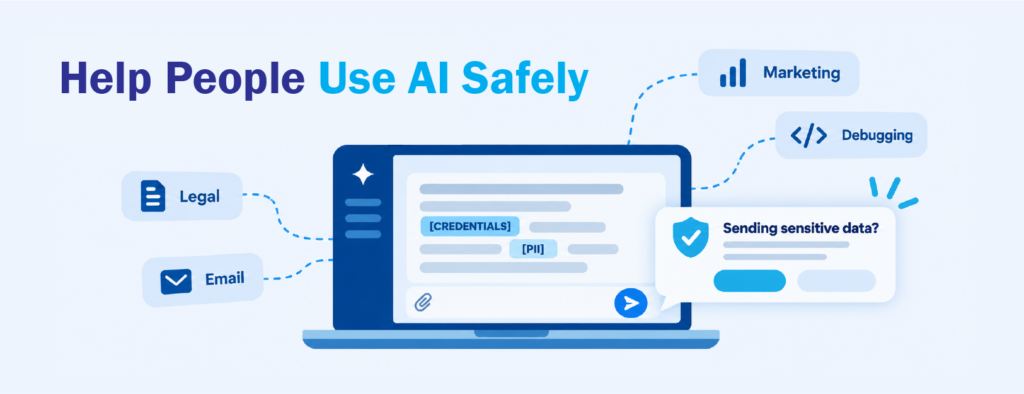
Turning that visibility into something IT teams can act on takes tools built around how people actually use AI. Check Point Workforce AI Security covers AI use across web apps, SaaS integrations, browser extensions, desktop agents and developer tools, including Shadow AI that never went through approval. It also looks past the tools to the people using them. It shows who is using generative AI and what for, with prompts sorted into categories like marketing, debugging, legal and email.
That focus on people is what makes it useful for managing human risk, not just AI risk. When an employee is about to share sensitive information, an action validation prompt gives them a chance to stop and reconsider before sending. Details like credentials or personal data can be redacted in real time and replaced with labeled placeholders, so the task still gets done. Over time, those small moments help employees build safer habits, while security teams get a clearer picture of where the real risks sit.
Shadow IT taught businesses that knowing which apps were installed wasn’t enough. Shadow AI takes that lesson a step further. IT teams now also need to understand how people use AI and what information goes with it. As AI shows up in more of the tools people use every day, that will only matter more. If you’re starting to look at how AI is being used across your organization, CT Link can walk you through how Check Point fits into your environment.
Interested in learning more about Shadow AI and Shadow IT? Message us at marketing@ctlink.com.ph to set a consultation with us today!